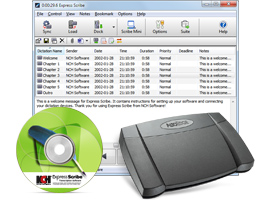
Express Scribe Transcription Software Foot Pedal Controlled Digital Transcription Audio Player Express Scribe is a professional audio player software for PC or Mac designed to help transcribe audio recordings. Reduce your turn around time using Express Scribe’s audio playback with keyboard hot keys or by installing one of the supported transcribing pedals. Additional valuable transcribing software features include variable speed playback, multi-channel control, a video player, file management, and more.  Load dictation  Transcribe  Send transcription |
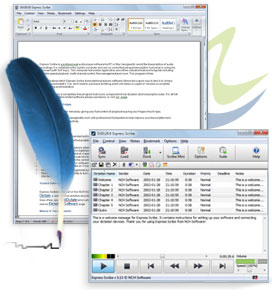
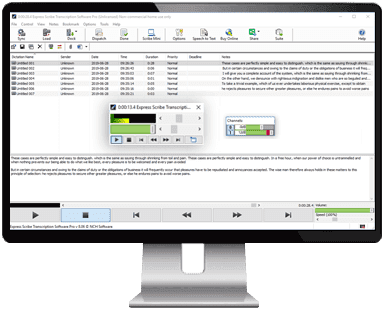
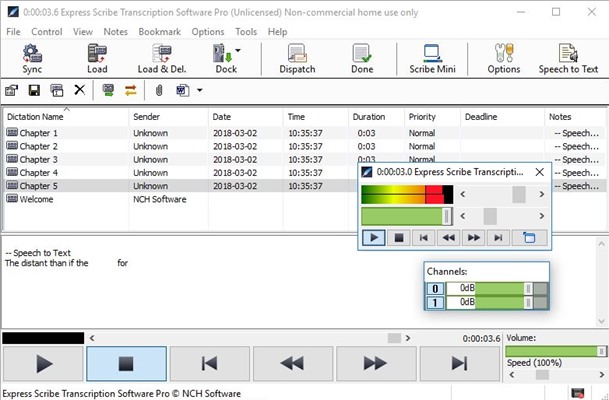
More Transcription Software screenshots >>> | Transcription Software Features - Variable speed playback (constant pitch)
- Supports audio and video playback
- Supports most audio formats and encrypted dictation files including MP3, M4A, DSS, WAV & more.
- Use ‘hotkeys’ for mouse-free playback when transcribing directly into Word or other software
- Transcribe dictations, voice notes, hearings, interviews, lectures, movies, songs, and more!
Improve Work Flow - Supports hand-held recorders to transfer audio quickly and easily
- Dock both analog and digital portable voice recorders to load recordings
- Automatically receives and loads files by internet (FTP), email or over a local computer network
- Automatically have finished transcriptions sent to your clients from the program
- Load CD audio directly and start working as the audio loads
Works with Other Software & Hardware - Supports professional USB foot pedals to control playback. Supported professional foot pedal controllers
- Works with speech recognition software to automatically convert speech to text
- Works with Microsoft Word and all major word-processors
- Works with FastFox text expander for entering medical/legal phrases and common phrases with keyboard shortcuts
|
|
Automatically send and receive files You can set the option in Express Scribe to automatically check an FTP server, local network or computer folder for new dictations at timed intervals. It will automatically load new dictations found in the specified path, speeding up your work-flow.  | Works with Word and other text editors If you prefer to type your transcriptions into a word processor, Express Scribe will run in the background while you use hot-keys or a footpedal to control it. Microsoft Word, Corel Wordperfect, Lotus Wordpro and any other Windows word processor can be used.  |
|
What is Express Scribe for?  Medical Transcription  Legal Transcription  Video Transcription System Requirements - Windows 7/8/8.1/10/11
- See Win 98, Win 2000 and Win XP/Vista to download software compatible with earlier versions of Windows.
- macOS 10.5 or above
- Sound Card or Integrated Sound Support
- Optional - Foot Pedal Controller
- Optional - SAPI Speech Engine
- Optional - Internet to automatically receive files
Download Express Scribe Transcription Software | Supported Hardware * Requires Express Scribe Pro |
"I have been transcribing for 32 years and as the technology has changed, this program fits my needs perfectly smoothly replacing tape recorders and tape transcription machines. I am very pleased with it." - Express Scribe User Review |

 Get Started with Audio Transcription Today






 Clearance Sales