BMS Music & Announcement Player In Store Music and Announcement System - Create unique environments with zoned music to suit your business
- Use your existing computer and play through your store's speakers
- Set and forget when your music, announcements and advertisements play by creating automated scheduled playlists
BMS is an all-in-one program for playing music, announcements and advertisements in your store or workplace. This light-weight and incredibly powerful program will improve the mood of your business and encourage your customers to stay longer and buy more.
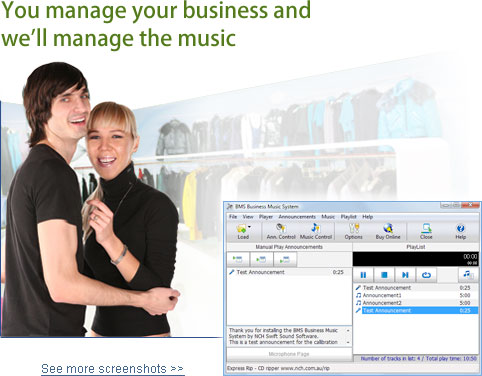
|  Download NowPurchase BMS Download NowPurchase BMS People that use BMS include: Casinos and Hotels
Different areas (zones) receive different music and messages Supermarkets and Convenience Stores
Background music, promotional messages and paging Large Retail stores
zoning specific departments with the ability to page customers/employees and promotional messages Shopping Malls
Schedule closing time hours announcements and other promotional messaging as well as background music |
|
|
Features - Simple and user-friendly
- Create playlists and schedule them to play at different times of the day.
- Automatically mix your music and announcements.
- Create multiple zones (up to 16) that let you play specific music and announcements to specific areas.
- Play your own advertisements.
- Use as a PA system for live announcements.
- Network with other computers and let others make announcements.
- Adjustable announcement volume level lets you make your announcements play louder than your music.
- Superior sound quality with in-built digital signal processor, dynamic range compressor and an active EQ. (These features alone can save you thousands of dollars in audio system equipment)
- Automatically compress music to reduce hard drive requirements and to speed online updates
- Play CDs, Mp3 files and more.
- Load prepacked BMS compilation CD-ROMs which can contain up to 100 music tracks each (or up to 400 tracks on a single DVD-ROM)
- Supports online music subscriptions to automatically download new music every day.
- Automatic fade between tracks.
- Password protection for restricted access to certain features.
- Set images to show whilst your announcements are playing
- Run a plug-in to play video commercials between music tracks.
- Create your own messages with Text-to-Speech Voice Synthesis.
- Review play logs to measure music or announcement success.
BMS System Requirements | Required | - Windows 2000/XP/2003/Vista/2008 & Windows 7
- For earlier Windows versions (98, ME) please click here
- Sound Card capable of 16 bit 44,100Hz Stereo playback
- Hard Drive at least 500MB
- CD-ROM Drive
- Suitable connectors to connect to the PA Amplifier
| | Optional | - Additional Sound Card for audition play
- Internet Connection for online music subscriptions
- Connection to your office Local Area Network for IAPremote
- Microphone
|
| Download BMS Business Music System Download BMS below, then run the file bmssetup.exe to install the software. Once installed, select the 'Help Contents' item from the Help menu for a complete guide to using BMS. BMS is fully multitasking and is therefore capable of running in the background on a computer that is running other applications at the same time. For example, if BMS is used to play only occasional announcements, it can run in the background on anyone's computer while they continue to use it for day to day tasks (eg. word-processing). However, for more critical professional 24/7 music, we recommend more care be taken with the computer choice and that all software that runs on the same computer with BMS be well tested stable 'server type' software which will not interfere with BMS (if in doubt simply test it). |
IAPremote Play live announcements using any computer running on the same network (LAN) as BMS. To do this you need to install the brother application IAPremote on any computer on the network. Download IAPremote Now (Windows 95/98/NT/2000/Me/XP)* * Requires BMS Retail and Dealerships NCH Software offers a reseller program for professional production studios that includes license generation, customizing and rebranding, professional support and more. For more information please see: Software Reseller Program. |
On-Hold Messages Player BMS is designed to be used on the same computer as the IMS On-Hold Message Player as part of a complete business audio solution. If you need an on-hold message player please see: IMS On-Hold Message Player for free downloads which include professionally voiced generic on-hold messages and free music. You need to install 2 sound cards to run both BMS and IMS on the same computer. I-Producer Professional Encoder The I-Producer professional production software can be used to record, encode and produce for the BMS (and the IMS On Hold Player). It is intended to be used only by professional recording studios to produce messages for their clients. More Information About I-Producer |
|
