IVM Answering Attendant Software Complete voicemail, call attendant and IVR solution for Windows Security Notice: If you setup an admin on IVM the Admin can install other programs or access all files on the computer running like any admin can. Do not setup a weblet admin for someone who you would not be willing to be admin of the PC. IVM answering attendant software is a complete voicemail, call attendant, interactive voice response, or autodial telephone management solution for small to medium businesses. There are many exciting ways you can use IVM to provide information and better serve your customers: - Play a menu to callers to direct incoming calls
- Redirect calls during or after office hours
- Set up an unlimited number of voicemail boxes
- Design custom interactive voice response systems
IVM can also be used for a wide range of solutions from a simple computer answering machine to running a sophisticated telephone interactive response system. Just run the install file and IVM will be ready to answer calls. Then, when you're ready, you can explore the advanced key response and programming options. |  Download Now Purchase IVM |
 See more Answering Attendant screenshots | Typical Applications - Single line answering machine
- Voicemail system with an unlimited number of voice mailboxes
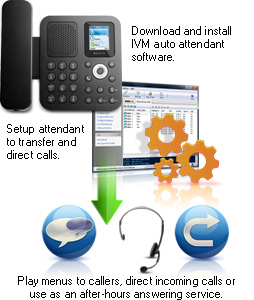
- Call attendant to transfer and direct incoming phone calls
- Telephone information lines
- AudioText systems
- Caller ID logger (with optional caller ID display)
- Automated telephone order taking
- Automated telephone surveys, linking caller inputs to a database
- Credit card telephone account payment
- Automated outbound call dial & message systems
- Dial in computer control or information
(e.g., restarting the server by phone) - Many more call management applications
This software is an effective phone management solution for small to medium businesses, giving you the power to set up any combination of these features to meet the unique requirements of any business. To help get you started, a number of example IVR files are included with IVM. After you have read the IVM manual and learned more about modifing IVR programs, these samples will give you an example of the basic setup for each particular task that you can expand upon. |
Answering Attendant Features - Multiple telephone line support, up to 64 lines simultaneously
- Configure and manage from a easy-to-use web control panel
- Caller ID logging and optional on-screen caller ID flash display
- Call key select menus and ability for caller to enter numbers
- Call transfer (subject to your phone company or PBX features)
- Remote telephone access
- Auto detection of Axon IP PBX when installed on the same server
- Save incoming messages as wav files (keep messages for legal/record purposes)
- Automatic hours feature (enter your office hours and it will automatically answer after hours)
- Unlimited (selectable) out-going messages and menus
- Call simulator is included so you can test your systems off-line
- Automated outbound calls and messages
- Unlimited voicemail boxes (each with own email forward, internet access page or remote access)
- Text-to-Speech voice synthesis as an alternative to recording or importing wav or mp3 files
- Ability to open files or run other software to process data or report information
- Free plugins offer internet and odbc sql connectivity, fax back services, hardware control and more
- Free professionally voiced greetings included
|
System Requirements - Windows XP/Vista/7/8/8.1/10
- Works on 64 bit Windows
- For earlier versions please see Windows 98/ME and Windows 2000 respectively for legacy software.
- To link to a phone line(s) one of the following:
- [Optional] Internet Connection [to access remotely and to forward by email]
IVM can connect multiple telephone lines with a professional telephony board or voice modem, directly to a VoIP service, or to a PBX like Axon. If you intend to use IVM with a voice modem, please note there are many voice modems on the market with defective TAPI wave/voice drivers. If you have difficulties with your modem, please see the IVM Troubleshooting Help page for some solutions to modem driver problems. Download IVM Answering Attendant Software Plugins IVM supports "plugins" which can be used within your interactive voice response system. We make free plugins available for a number of applications including loading and saving from databases, automatic emailing or faxing of documents, linking to an http server, connecting to hardware and much more. For more information and to download plugins, please see www.nch.com.au/ivm/plugins.html. |

