|
SoundTap Streaming Audio Recorder
Record any audio playing through your computer in pure digital
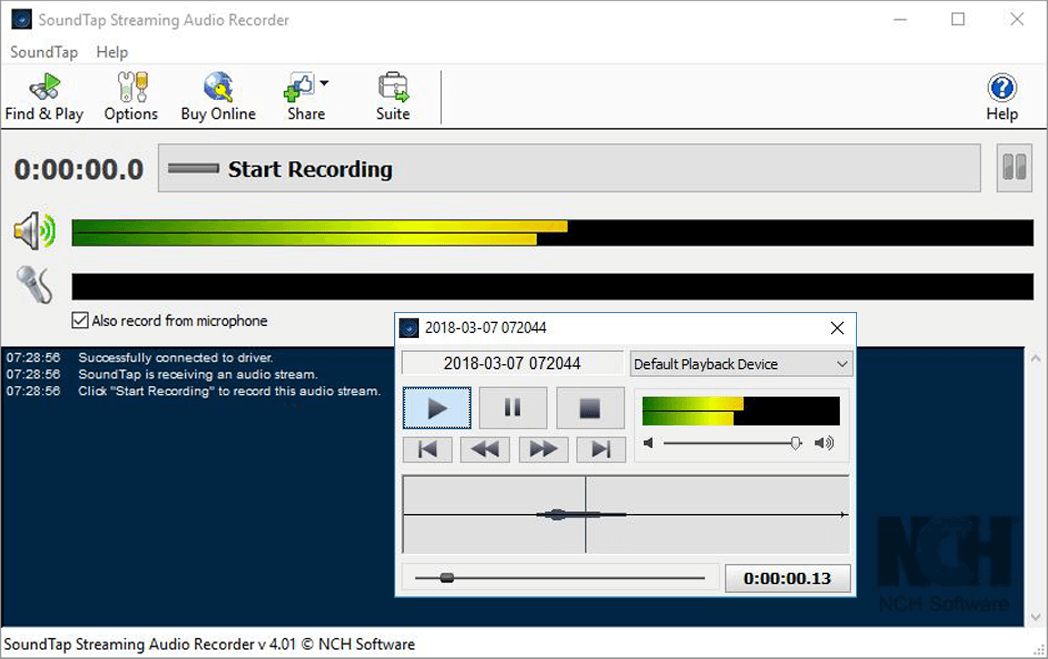
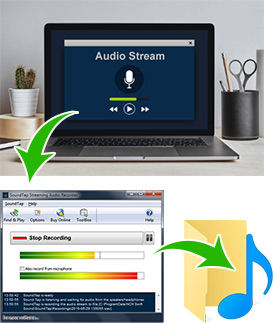
SoundTap is a streaming audio capture program that lets you record just about any audio that plays on your computer. Simply install this software, turn it on and then all sound played on or through a PC or Mac will be recorded as wav or mp3 files. All audio is 'tapped' by a virtual driver directly within the kernel so the process is perfect digital quality.
Typical applications of this streaming audio recorder are:
- Record internet radio webcasts.
- Converting audio recorded in 'proprietary' audio formats to wav or mp3. As long as you still have the player, you can use SoundTap to save the audio in other formats (eg. mp3).
- Recording streaming audio broadcasts (almost all types of streams can be recorded).
- Record VoIP calls on softphones (eg. Skype) for legal or quality assurance reasons.
- As a streaming audio conference recorder.
- Many other applications where you want a pure digital wav or mp3 of what is played.
* SoundTap complies with Microsoft's DRM signed driver model and will not record streams if a DRM player is used and if the stream is marked as DRM copy-protected.
 More Screenshots >>> |
|
Features
- Records a direct digital copy of any audio played on your computer with no loss of quality.
- Saves files in wav or mp3 format with a wide range of selected codec and compression options.
- You can select to either listen while you record streaming audio or save audio silently.
- Provides automatic recovery from broken audio streams.
- Features the ability to pause and resume recording.
- As an internet recorder almost anything that is streamed over the web can be captured.
- Ability to record and mix microphone input to capture both sides if you are using SoundTap to recording a VoIP or Conference conversation (optional).
- Recordings can be searched quickly by date, time, duration or format.
- Streams can be recorded directly to the VRS Multiline Call Recording system.
- Works with almost all media players (eg. Windows Media Player, Real Audio, QuickTime) and softphones (eg. Skype, eyeBeam, Express Talk).
- Directly links to the WavePad Sound Editor Software so you can edit the files you have recorded.
- Directly links to the Switch Mp3 File Converter Software so you can convert the files from mp3 to over 20 other file formats if you need it in another format.
- Directly links to the Express Burn CD Burner Software to record to CD.
- Very easy to install and use.
|
System Requirements
- Windows 2000**/XP/Vista/2008++
- Mac OS X 10.4 and above.
** For technical reasons Windows 2000 only supports recording what you play not the input side (for, for example call recording). Windows XP and Vista/2008 supports both.
++ Windows Vista 64 Bit is not supported.
Download
SoundTap can be downloaded by clicking on one of the following links:
Once download is complete run the install file to install SoundTap. When the file has installed, please select Help to view (or print) the complete manual.
More Information...
For more information see:
|
|
|