NCH Software Home
Home | Products | Download | Purchase | Support | SiteMap  

Phone Recording Software

Software and Hardware Options for Recording Telephone Calls

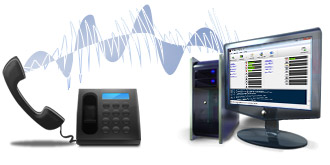
Download software to record telephone calls. NCH Software has created a range of call recording programs to suit a range of needs from call center logging to simple single line recording. Select from the programs below and download the application that best suits your call recording requirements.

To complete your telephone recording system also see:

Telephone Recording Software

PC Telephone Recording Software
VRS Recording Server
Suitable to record lines automatically (ie. record all calls) on a Windows or Linux server. VRS will record up to 64 calls simultaneously. Features include signal processing for superior audio quality, advanced audio compression, powerful audio search tools and all the other features required to create robust corporate call recording solution.
More Info Windows Download Linux Download Purchasing Info
 
TRx Professional Call Recorder
Single line telephone recorder program for Windows and Mac OS X. Manually record telephone calls on a phone line connected to a voice modem, call recording adapter or professional telephony card directly at the computer where the call takes place. TRx also works as a caller number ID display system and lets you put calls on-hold (and plays on-hold music and messages).
More Info Windows Download Mac Download Purchasing Info
 
IVM Automated Answering Attendant
IVM Answering Attendant is call attendant and interactive voice response (IVR) and voice mail program. Use this software to create a sophisticated automated telephone menu or voice mail like systems to record messages on the phone.
More Info Windows Download Linux Download Purchasing Info

How To Set Up Your Computer To Record Phone Calls

Setting up computer telephone recording is easy. Simply download the telephone recording system software that best fits your needs using one of the links above. If you don't have the hardware you need to connect to the phone lines already, you can order the telephone connectors online (see below).

To decide what call recorder software is right for you, you need to know:

  • How many lines do you want to record?
    For example the TRx only records a single line. VRS can record up to 64 on one computer.
  • Do you want to record all calls automatically or record specific calls manually?
    VRS is more suitable for automatic recording. Both TRx and VRS can be used manually.
  • Where you want the recording to be done at a remote server or at the workstation near the phone?
    VRS runs on a central server but can be controlled over the network. TRx is usually installed on each computer.

If you are still in doubt about which application is most suitable we recommend you simply download the software and try them out. All of our software has a free 14-day trial period so you can try them out to make sure it does what you need before you make a purchase, and it only takes a couple of minutes to download and install each program.


Phone Line Connection Hardware Options

Professional Telephony Boards with 2, 4, 8 or 16 analog ports per PCI card. These are suitable for multi-line professional recording applications. They cost a little more than the other 3 hardware options but are more popular for business customers because they offer a turn-key single card solution. More Info
Professional USB Telephony Device with 2 or 4 analog ports per device. These are suitable for multi-line professional recording applications. Multiple devices can be installed in the same PC (subject to USB port availability) and are an excellent choice for small businesses with a small multi-line setup. More Info
Handset Connectors are suitable where you need to record a phone system (PBX) extension or a digital line. They connect 'inline' between the phone handset telephone itself (RJ12 sockets) with a lead to the computer's sound input socket. More Info
Direct Line Connectors are suitable if you want to connect VRS or TRx to a ordinary analog phone line (PSTN). They connect between the phone line (RJ11 socket) and the computer's sound input socket. More Info

Phone Recording Hardware Options Guide

You might already have the required hardware (say a voice modem for 1 line with TRx) but if you don't, or you need professional quality telephone interface adapters, you can order them online from www.altoedge.com. (worldwide shipping available)

If you do not yet have the correct hardware you can still download the software now and see if it might be suitable. You do not have to buy anything to download and try it. Just click on one of the download links above.

For a step by step guide to setting up your system to record phone calls, please see our Call Recording Scenarios page.

  Click here to see the Telephone Recording Setup Guides
 
Recorder Software
 
VRS Recording System
 - More info...
 - Download
 - Buy Online
TRx Call Recorder
 - More info...
 - Download
 - Buy Online
IVM Answering Attendant
 - More info...
 - Download
 - Buy Online
More Audio Software...


Languages
 
en Français
auf Deutsch
 
 
Recorder Hardware
 
Direct Line Connectors
 - Buy Online
Handset Connectors
 - Buy Online
Telephony Boards
 - Buy Online
Voice Modems
 
 
I am looking for a...
 
Voice Recorder
Phone Recorder
Personal Phone Recorder
Caller ID Display Dystem
On-hold Message Player
Phone Answering Machine
Voice Mail System
Call Attendant Software
Interactive Voice Response System
Telephony board
Handset connector
Direct Line connector
 
   © NCH Software Top | Privacy | Legal | Home